

Compose components
formhaus-compose renders a Formhaus JSON definition in Jetpack Compose. Register your own composables per field type, or use one of the built-in sets.
Android and JVM guide · Source · Kiln example set
Install
Releases are published to Maven Central. Add the packages you need:
dependencies {
    implementation("dev.formhaus:formhaus-core:0.4.0")
    implementation("dev.formhaus:formhaus-compose:0.4.0")
}| Package | Contents |
|---|---|
formhaus-core | Engine, validation, validateSubmission. Pure Kotlin. |
formhaus-compose | Jetpack Compose renderer. Depends on formhaus-core. |
formhaus-research | Option order for randomize fields. See Random option order. |
Requirements
- JDK 17 or later.
- Android
minSdk26 or later.formhaus-composeis built withcompileSdk37.
Quick start
Parse a definition and render it. The submit handler returns SubmitResult.Ok, or SubmitResult.Rejected with errors that the form shows on the fields:
import androidx.compose.runtime.Composable
import dev.formhaus.compose.form.FormhausForm
import dev.formhaus.core.engine.SubmitResult
import dev.formhaus.core.json.JsonValue
import dev.formhaus.core.json.toJsonString
import dev.formhaus.core.model.FormDefinition
import kotlinx.coroutines.Dispatchers
import kotlinx.coroutines.withContext

val definition = FormDefinition(JsonValue.parse(assets.open("signup.json").readBytes()))

@Composable
fun SignupScreen() {
    FormhausForm(definition) { values, _ ->
        val response = withContext(Dispatchers.IO) { api.post("https://example.com/signup", values.toJsonString()) }
        SubmitResult.of(JsonValue.parse(response))
    }
}
The submit handler runs on the main thread. SubmitResult.of(json) reads the { ok, errors, formErrors } object that a Formhaus endpoint returns. FormhausForm also takes initialValues, engineOptions and renderer options. FormhausFormContent(model) renders the form without its own scroll container.
FormhausForm(definition) keeps its values, step and picked files when the activity is recreated, and restores them after process death. Password values are never saved. Progress over 96 KB is not saved for process death and reports a snapshot-too-large warning.
Options with an image load the picture over the network, so the app needs the android.permission.INTERNET permission.
Keep a model in a ViewModel
For a form whose state lives outside the composable, create a FormModel and pass it to FormhausForm(model). A model you create is yours to close. close() stops its work and deletes the files picked in it:
import androidx.lifecycle.ViewModel
import dev.formhaus.compose.model.FormModel

class SignupViewModel : ViewModel() {
    val form = FormModel(definition) { values, _ -> send(values) }

    override fun onCleared() {
        form.close()
    }
}
Save progress
onSnapshotChange receives a FormSnapshot after the values, the step or the skipped steps change, at most once per frame, and null once a submit succeeds. Store snapshot.toJson() and pass it back as restoring to continue where the respondent left off:
FormhausForm(
    definition,
    restoring = saved?.let(FormSnapshot::fromJson),
    onSnapshotChange = { snapshot -> store(snapshot?.toJson()) },
) { values, _ -> send(values) }
FormModel takes the same two parameters. To survive process death in a ViewModel, keep the JSON in its SavedStateHandle:
import androidx.lifecycle.SavedStateHandle
import dev.formhaus.core.engine.FormSnapshot

class SignupViewModel(private val handle: SavedStateHandle) : ViewModel() {
    val form = FormModel(
        definition,
        restoring = handle.get<String>("snapshot")?.let(FormSnapshot::fromJson),
        onSnapshotChange = { snapshot -> handle["snapshot"] = snapshot?.toJson() },
    ) { values, _ -> send(values) }

    override fun onCleared() {
        form.close()
    }
}
A snapshot restores the values, the current step, the skipped steps and the option order seed without running validation. A snapshot of another form, another snapshot version, or a step that no longer exists starts the form fresh and reports a snapshot-mismatch warning. restoring replaces initialValues. A snapshot leaves out password values, so they are empty after a restore.
Component sets
The same form in the three sets:
| Formhaus | Material 3 | Your own |
|---|---|---|
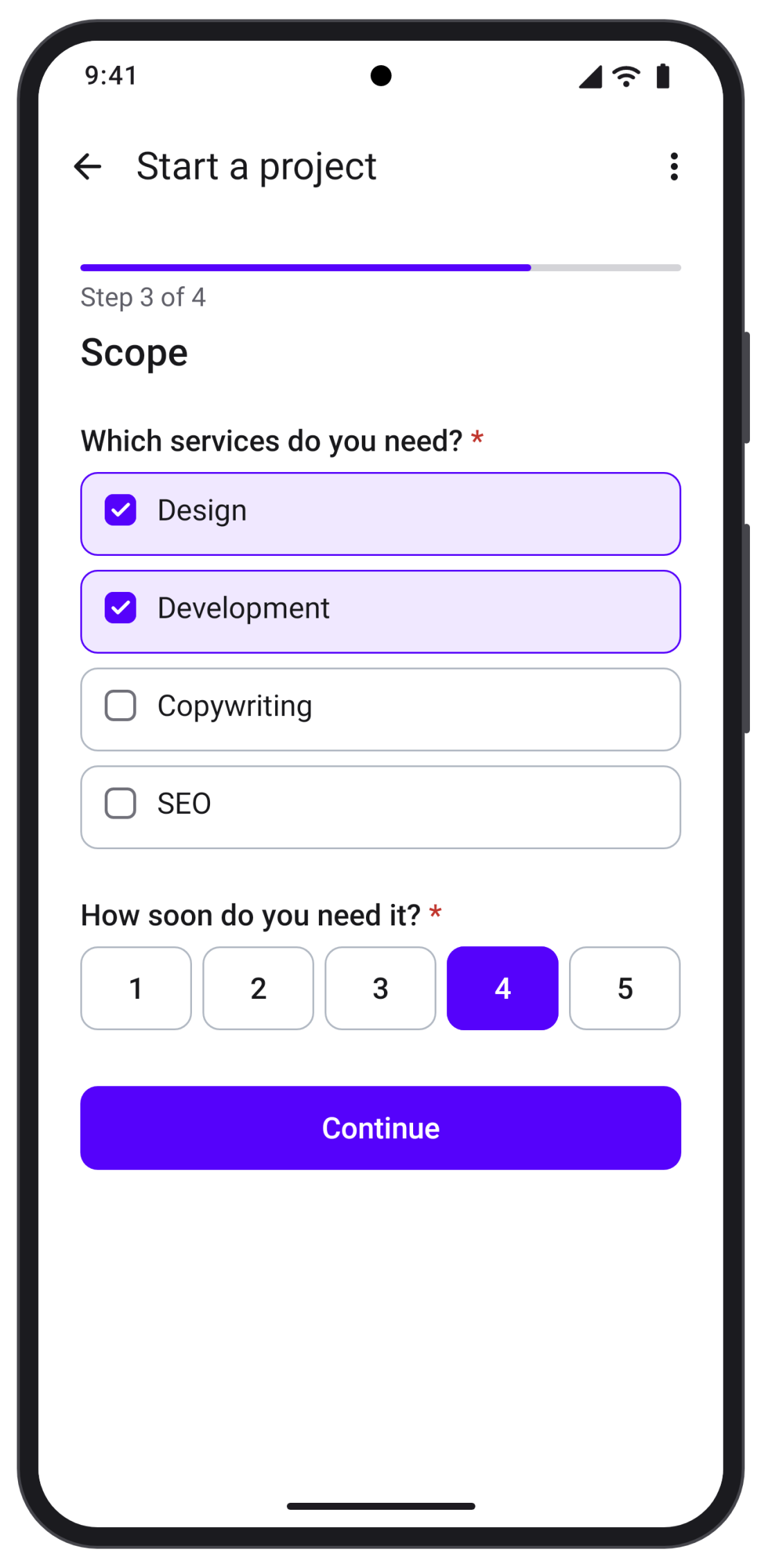 | 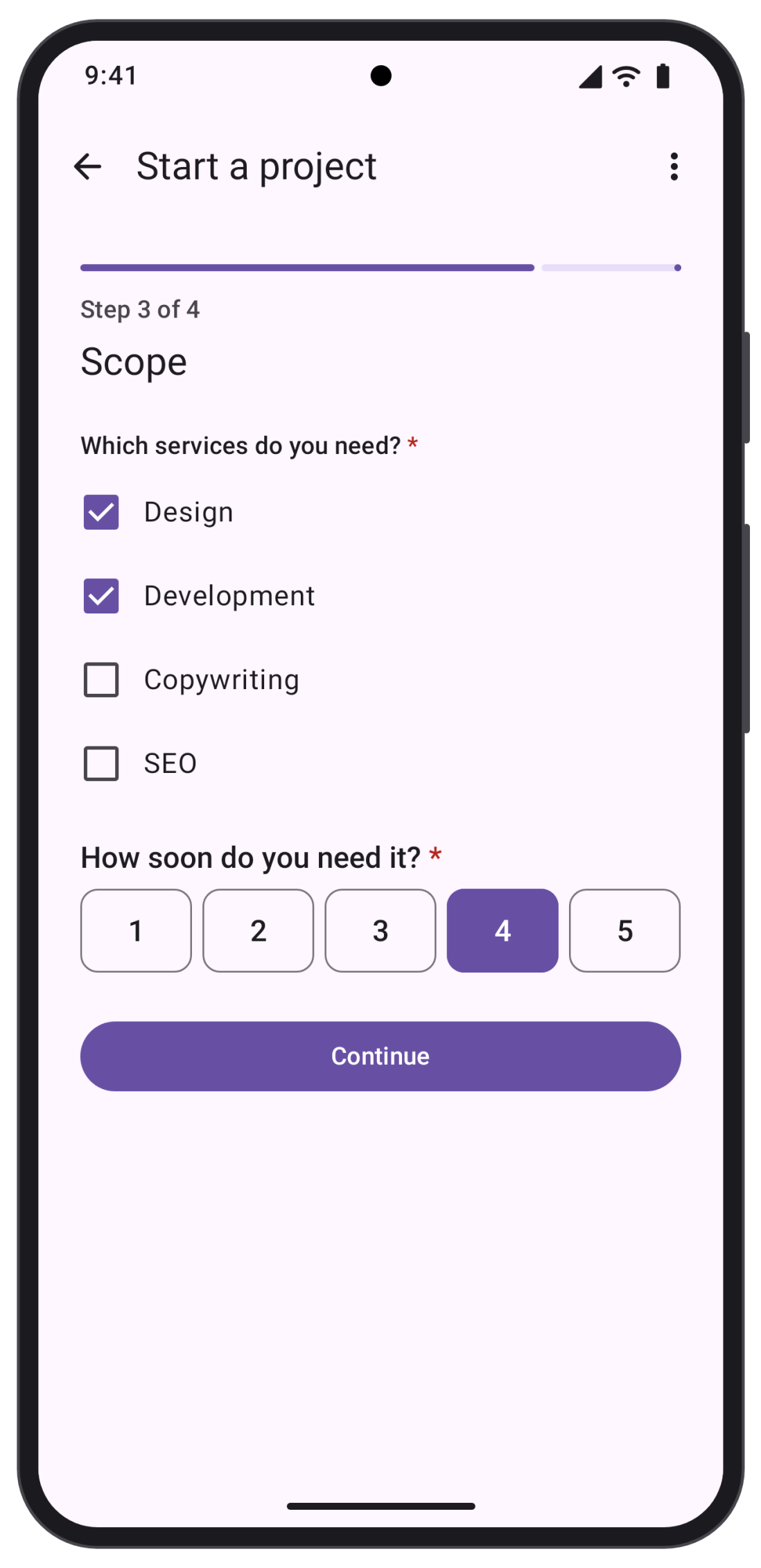 | 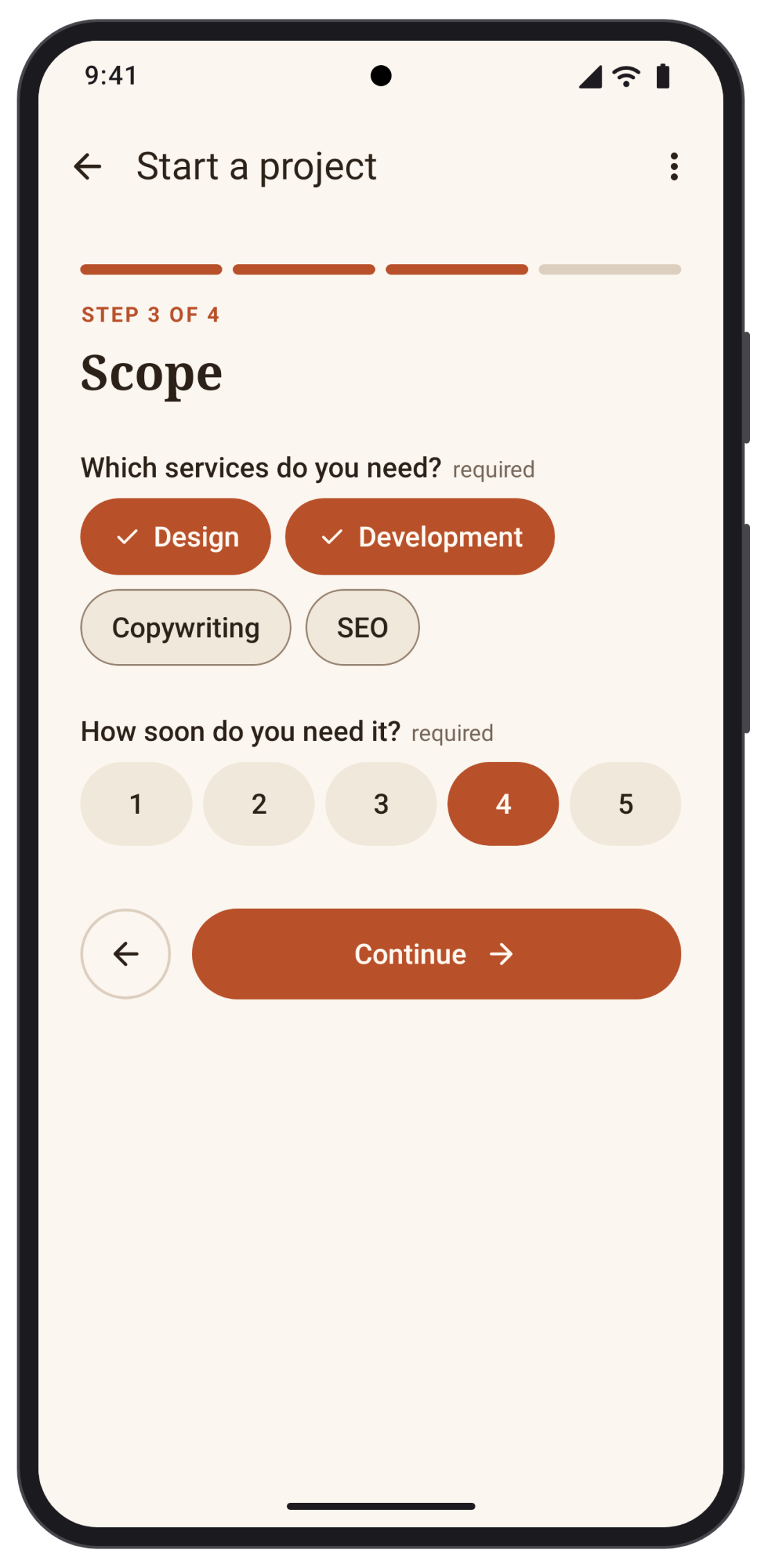 |
FormComponents.standardis the Formhaus set and the default. It matches the web renderers and uses the Formhaus design tokens.FormComponents.systemrenders Material 3 components and takes its colors from theMaterialThemearound it.FormComponents.headlesshas no built-in fields, so every type comes from your registrations.
Provide a set with LocalFormComponents:
import androidx.compose.runtime.CompositionLocalProvider
import dev.formhaus.compose.form.FormComponents
import dev.formhaus.compose.form.LocalFormComponents

MaterialTheme {
    CompositionLocalProvider(LocalFormComponents provides FormComponents.system) {
        FormhausForm(definition) { _, _ -> SubmitResult.Ok }
    }
}
LocalFormBehavior takes a FormBehavior for the error summary, the remove confirmation, the Back button placement, step scrolling and the title display mode. With BackPlacement.APP_BAR the form leaves its Back button out, so your app bar shows Back while model.actions.showBack is true and calls model.back().
Switching the components or the theme of a running form keeps its values, step and errors.
Custom slots
Register a composable per field type on top of a built-in set. Types you leave out keep the built-in views:
val brand = FormComponents.standard
    .field("text") { UnderlineField(it) }
    .field("email") { UnderlineField(it) }

@Composable
fun UnderlineField(context: FieldContext) {
    val requester = remember { FocusRequester() }
    FieldShell(context) {
        BasicTextField(
            value = context.text,
            onValueChange = { context.setValue(JsonValue.String(it)) },
            modifier = Modifier.fillMaxWidth().formhausFocus(context, requester),
        )
    }
}
FieldShell draws the label, helper text and error, and lets the form scroll to the field. formhausFocus moves focus to the first error. section, group, groupItem, confirmDialog, progress and actions replace the containers the same way. The demo app has a complete custom field.
Theming
FormhausTheme holds the Formhaus design tokens: light and dark palettes, type sizes, spacing, radii, control sizes and motion. FormhausTheme.standard is the touch theme.
import androidx.compose.ui.graphics.Color
import androidx.compose.ui.unit.dp
import dev.formhaus.compose.theme.FormhausTheme
import dev.formhaus.compose.theme.Palette

val brand = FormhausTheme.standard.copy(
    light = Palette.light.copy(primary = Color(0xFFB84F29)),
    dark = Palette.dark.copy(primary = Color(0xFFE88259)),
    radii = FormhausTheme.standard.radii.copy(control = 22.dp),
)

FormhausTheme(brand) {
    FormhausForm(definition) { _, _ -> SubmitResult.Ok }
}
Custom components read the resolved tokens from LocalFormhausTokens.current and style text with tokens.textStyle(TextRole.body). When the system contrast setting is raised, on Android 14 and later, the built-in palettes switch to the contrast: more values of the tokens. Set lightIncreased and darkIncreased to choose those colors yourself.
Test ids
Set testIds to tag the form for Compose UI tests. They are off by default:
FormhausForm(definition, renderer = FormRendererOptions(testIds = TestIds.Automatic)) { _, _ -> SubmitResult.Ok }TestIds.Automatic names each element after the definition id: <id>.form, <id>.<key>, <id>.<key>.<value>, <id>.<group>.<index>.<key>, <id>.submit, <id>.next, <id>.back and <id>.summary. The tags are Modifier.testTag values:
compose.onNodeWithTag("signup.email").assertExists()
compose.onNodeWithTag("signup.next").performClick()
A field tag sits on the field row, which holds the label, the control and the error. TestIds.Custom { target -> ... } names the tags yourself from a TestIdTarget. Custom field composables read context.testId and context.optionTestId(value). See Testing for the web ids.