Don't want to run a backend?No backend? Formhaus Cloud hosts your forms. Try Cloud


One form definition for your projects
Describe a form once in JSON.Share it, embed it, or render it in any web app or natively in Swift.


Try making a form
Edit this example or open the free builder, no signup needed.
1{2 "$schema": "https://formhaus.dev/schema/form-definition.json",3 "id": "onboarding",4 "title": "Set up your workspace",5 "submit": { "label": "Create workspace" },6 "steps": [7 {8 "id": "workspace",9 "title": "Workspace",10 "fields": [11 {12 "key": "whoIsItFor",13 "type": "radio",14 "label": "Who is it for?",15 "validation": { "required": true },16 "options": [17 { "value": "my-team", "label": "My team" },18 { "value": "just-me", "label": "Just me" }19 ]20 }21 ],22 "routes": [23 {24 "to": "team",25 "show": [{ "field": "whoIsItFor", "eq": "my-team" }]26 },27 { "to": "project" }28 ]29 },30 {31 "id": "team",32 "title": "Team",33 "fields": [34 {35 "key": "company",36 "type": "text",37 "label": "Company",38 "placeholder": "Acme Inc.",39 "validation": { "required": true }40 },41 {42 "key": "teamSize",43 "type": "radio",44 "label": "Team size",45 "validation": { "required": true },46 "options": [47 { "value": "2-10", "label": "2–10" },48 { "value": "11-50", "label": "11–50" },49 { "value": "51", "label": "51+" }50 ]51 }52 ],53 "routes": [{ "to": "invite" }]54 },55 {56 "id": "project",57 "title": "Project",58 "fields": [59 {60 "key": "whatWillYouBuildWith",61 "type": "radio",62 "label": "What will you build with?",63 "validation": { "required": true },64 "options": [65 { "value": "react", "label": "React" },66 { "value": "vue", "label": "Vue" },67 { "value": "something-else", "label": "Something else" }68 ]69 }70 ]71 },72 {73 "id": "invite",74 "title": "Invite",75 "fields": [76 {77 "key": "workEmail",78 "type": "email",79 "label": "Work email",80 "placeholder": "you@company.com",81 "validation": {82 "required": true,83 "pattern": "^[^@\\s]+@[^@\\s]+\\.[^@\\s]+$",84 "patternMessage": "Enter an email like you@company.com"85 }86 }87 ]88 }89 ]90} Valid definition · 90 linesJSON
Publish it, collect responses
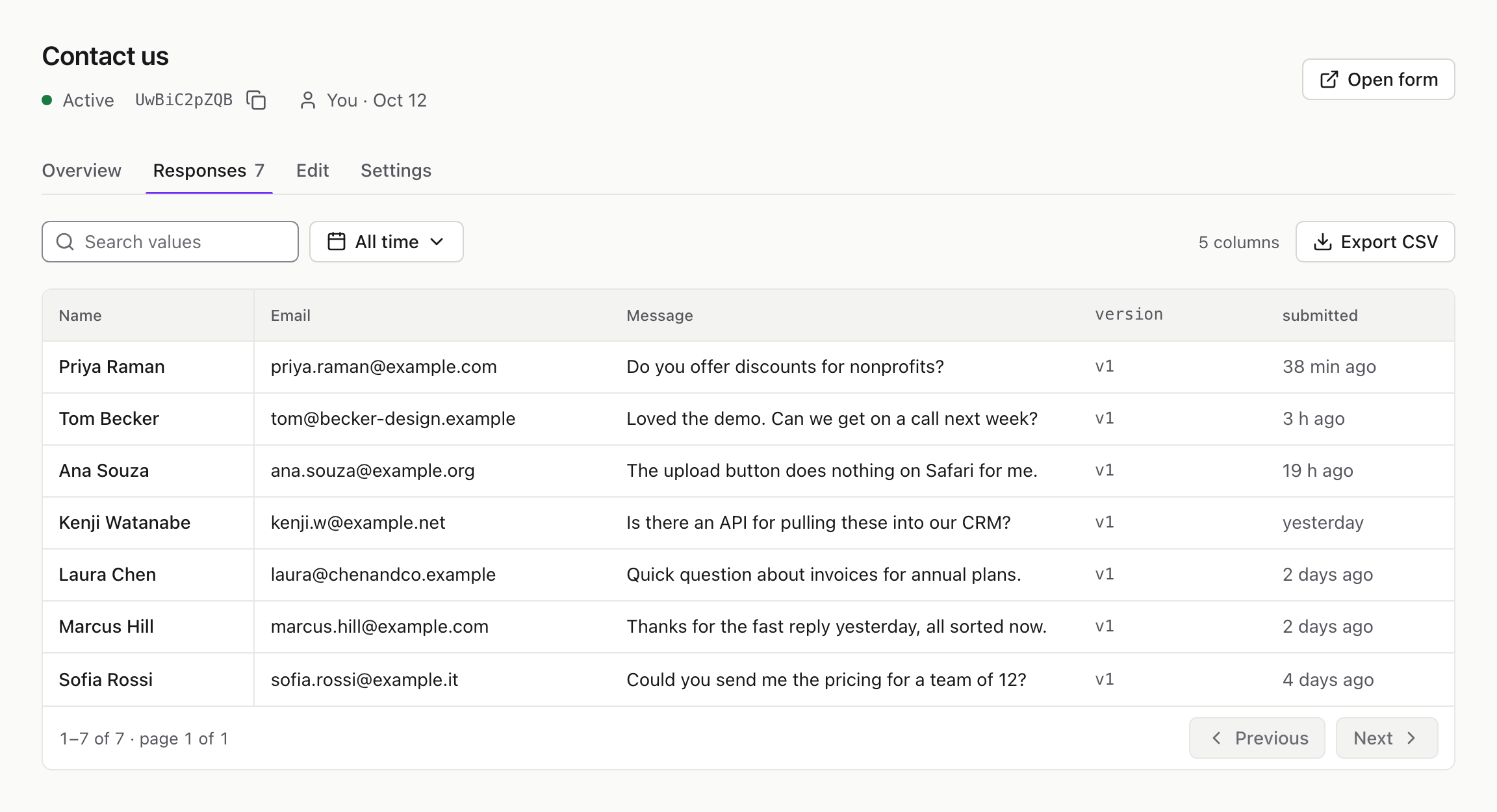
Formhaus Cloud gives every form a link, an embed and a dashboard. Free for 5 forms.
Use your own components
Build forms in React, Vue or SwiftUI with your design system.
ContactForm.tsx · 7 lines
1import { FormRenderer } from '@formhaus/react';2import '@formhaus/core/style.css';3import definition from './contact-form.json';45export const ContactForm = (props) => (6 <FormRenderer definition={definition} {...props} />7);See your form in Figma
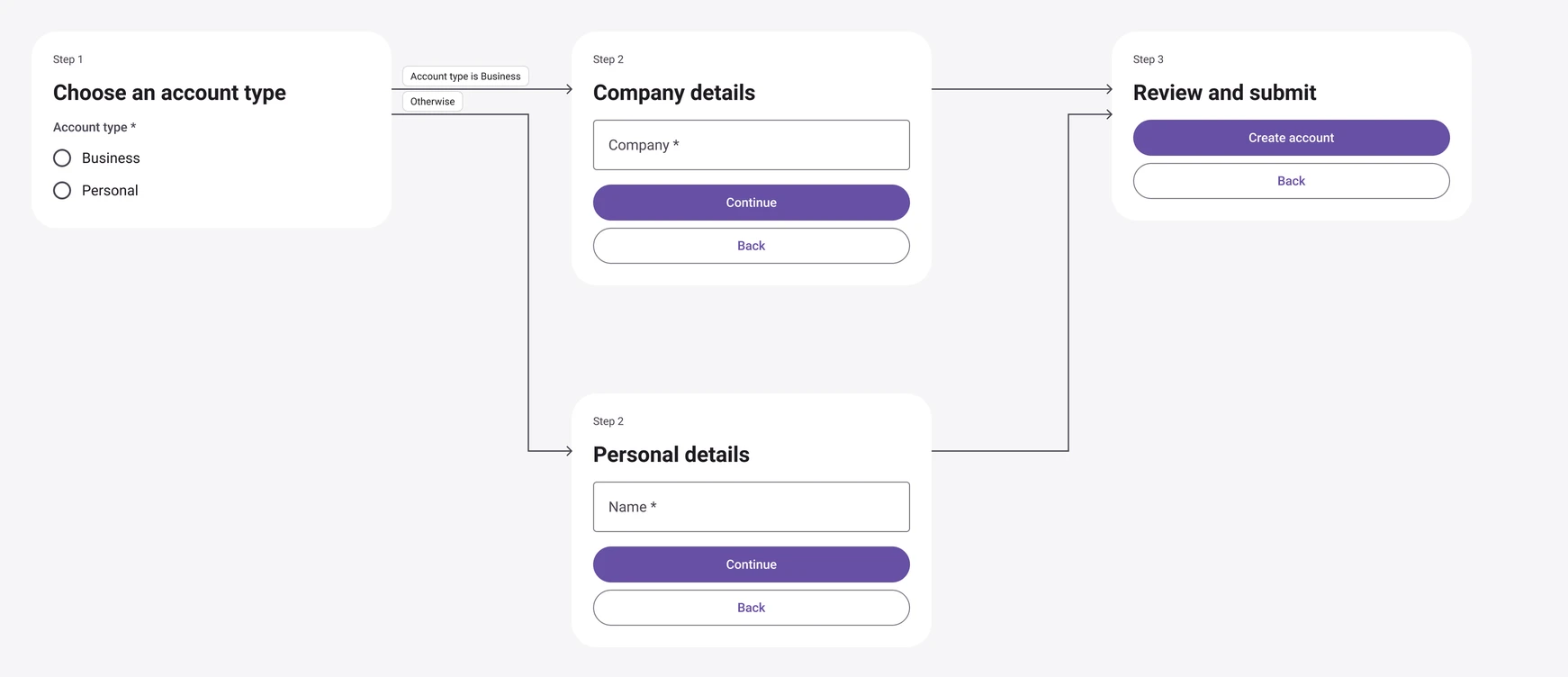
One JSON file powers your app, hosted form and Figma mockups.